
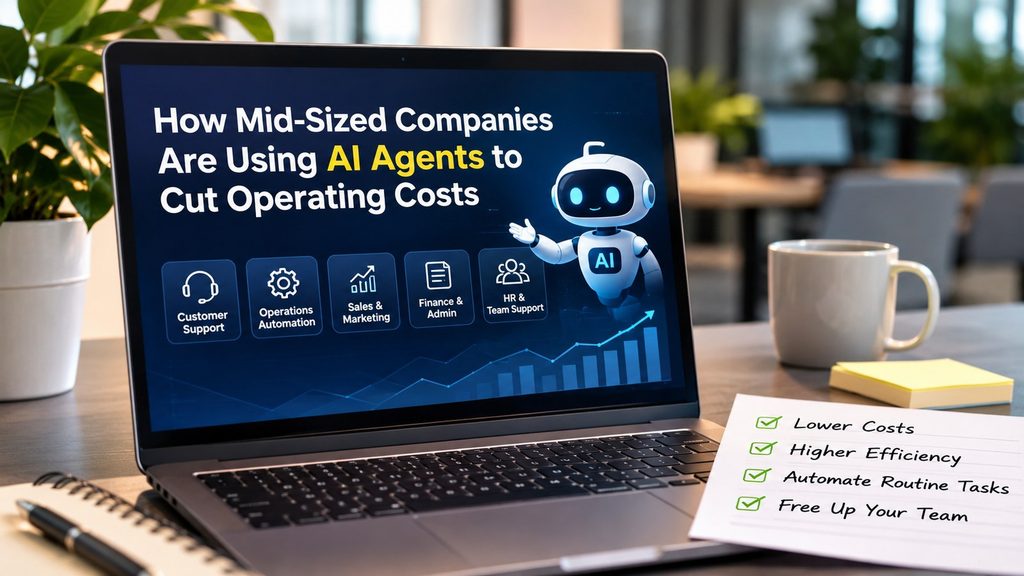
AI agents are software assistants that can plan and complete multi-step tasks across business tools. Mid-sized companies are using them to automate invoice processing, support triage, sales research, reporting and IT requests. The firms seeing real savings start with one measurable process, keep humans approving risky actions, and track cost per task before and after rollout.
Large enterprises have armies of engineers and consultants to build automation. Small businesses can get by with simple apps. Mid-sized companies, typically with fifty to a few thousand employees, sit in an awkward middle: complex enough to drown in manual processes, but rarely resourced to fix them. AI agents are changing that equation.
Unlike earlier chatbots that only answered questions, today’s agents can read an email, look up a record in the CRM, update a spreadsheet, draft a reply and route an exception to a human. That ability to act across tools is what turns AI from an interesting experiment into a genuine lever on operating costs. This guide breaks down where mid-sized firms are using agents, how they roll them out and how they measure the return.
What Makes an AI Agent Different From Automation You Already Have
Traditional automation, such as macros or robotic process automation, follows fixed rules. It works brilliantly until the input changes: a new invoice layout, an oddly worded email, a missing field. Then it breaks.
AI agents combine a language model’s understanding with access to tools. They can interpret messy, unstructured inputs, decide what to do next, and handle variation that would stop a rule-based bot. That makes them suitable for the “long tail” of semi-structured work that eats so much staff time in mid-sized firms.
- Understands: emails, PDFs, chats, forms and notes written in natural language.
- Decides: chooses the next step based on the goal and the information available.
- Acts: uses connected systems such as accounting software, CRM, ticketing and calendars.
- Escalates: passes uncertain or high-risk cases to a human with a summary.
Use Cases by Department
Finance & Accounts
High ROIReading supplier invoices, matching them to purchase orders, flagging mismatches, chasing missing approvals and preparing month-end reconciliation drafts.
Customer Support
Fast winTriaging tickets, answering common questions using the help centre, gathering order details before a human steps in, and drafting replies for agents to approve.
Sales
RevenueResearching prospects, enriching CRM records, drafting personalised first emails, summarising calls and updating deal stages automatically.
Marketing
ScaleTurning one piece of content into many formats, monitoring brand mentions, compiling campaign reports and checking copy against brand guidelines.
HR & People
Time saverScreening applications against criteria, scheduling interviews, answering policy questions and running onboarding checklists.
IT & Operations
Cost cutResetting access, handling common service desk requests, monitoring alerts, and producing incident summaries for engineers.
Procurement
SavingsComparing supplier quotes, tracking contract renewal dates and summarising terms so buyers negotiate from a stronger position.
Management Reporting
InsightPulling numbers from several systems, writing weekly performance summaries and highlighting anomalies leaders should review.
Where the Cost Savings Actually Come From
It is tempting to think savings come only from reducing headcount. In practice, mid-sized companies report value from several sources at once:
- Fewer hours on low-value tasks. Staff spend less time copying data between systems or answering the same question repeatedly.
- Faster cycle times. Invoices are processed in hours rather than days, which can capture early-payment discounts and avoid late fees.
- Fewer errors. Consistent checks reduce costly mistakes in billing, payroll inputs and order entry.
- Avoided hiring. Growing companies absorb more volume without adding equivalent back-office staff.
- Better use of experts. Skilled employees focus on exceptions, customers and strategy rather than routine processing.
The 90-Day Rollout Roadmap
The companies that succeed with agents treat adoption as a business project, not a technology experiment. A practical 90-day plan looks like this:
How to Measure ROI
A simple way to calculate the return on an AI agent is to compare the fully loaded cost of the old process with the new one:
Monthly saving = (Old cost per task − New cost per task) × Monthly volume
ROI % = (Annual saving − Annual agent cost) ÷ Annual agent cost × 100
“New cost per task” should include software fees, the human time still spent reviewing outputs and handling exceptions, and any integration or maintenance work. Many first projects look less impressive once review time is honestly counted, which is why accuracy improvements during the pilot matter so much.
Common Mistakes Mid-Sized Firms Make
- Starting too broad. “Automate customer service” is too vague. “Answer order-status questions” is achievable.
- Skipping the baseline. Without before-and-after numbers, leadership loses confidence.
- Giving agents too much access. Broad permissions create security and error risks.
- Ignoring messy data. Agents are only as good as the knowledge base, CRM and documents they rely on.
- Forgetting the people. Staff need to know how their roles will change, and they are often the best source of edge cases.
Governance, Security and Trust
Because agents take actions, governance matters more than with a chatbot. Mid-sized companies should set up a short policy covering approved tools, data that can and cannot be shared, mandatory human approval for payments or customer commitments, and logging of every agent action. Choosing vendors with clear enterprise data protections and regional compliance support is essential, especially for firms handling customer or financial data.
Trust is built gradually. Teams that see an agent perform reliably in shadow mode are far more willing to rely on it later. Transparency, such as showing the sources an agent used or the steps it took, also helps reviewers spot problems quickly.
A Worked Example: Accounts Payable
Consider a mid-sized distributor processing around 3,000 supplier invoices a month. Before automation, two clerks spent most of their week opening emails, keying invoice data into the accounting system, matching each line to a purchase order and chasing managers for approval.
After a 90-day rollout, an AI agent reads incoming invoices from the shared inbox, extracts supplier, amount, tax and line items, and matches them to purchase orders and delivery records. Clean matches are queued for one-click approval. Mismatches, such as a price difference or missing delivery note, are flagged with a short explanation. The clerks now spend their time resolving exceptions and supplier queries rather than typing.
The measurable gains in a case like this typically show up as shorter processing time per invoice, fewer duplicate or incorrect payments, more early-payment discounts captured and the ability to handle growth without adding staff. The exact figures depend on invoice quality and system integration, which is why the baseline step matters.
Build, Buy or Configure?
Mid-sized firms have three broad options for getting agents into production:
- Use agent features inside existing software. Many CRM, help desk, accounting and productivity platforms now include built-in agents. This is the fastest and lowest-risk route.
- Configure a general agent platform. No-code or low-code agent builders let operations teams connect tools and write instructions without heavy engineering.
- Build custom agents. For core, differentiating processes, a small internal team or partner can build agents using model APIs. This offers the most control but needs ongoing maintenance.
Most companies start with the first option, move to the second as confidence grows, and reserve custom builds for processes that give them a competitive edge.
What Comes Next
The next phase is multi-agent workflows, where specialised agents hand work to each other: one gathers data, another drafts a document, a third checks it against policy. As integrations with common business software become standard, setup costs are falling, which puts this capability within reach of companies that could never afford custom automation projects. The winners will be firms that build internal skills now, starting small and scaling what works.
For leadership teams, the practical next step is simple: nominate one owner for AI adoption, pick a single process this quarter, and commit to measuring results honestly. Momentum from one clear success makes every later rollout faster and easier to justify.
Key Takeaways
- AI agents can act across business tools, not just answer questions.
- Best early targets: invoice processing, support triage, sales research and IT requests.
- Follow a 90-day plan: baseline, guardrails, shadow pilot, supervised launch, measure.
- Count review and exception time honestly when calculating ROI.
- Limit access, log actions and keep humans approving high-risk decisions.
Frequently Asked Questions
What is an AI agent in business?
An AI agent is software that can understand a goal, plan the steps, use tools such as email, spreadsheets, CRMs or databases, and complete multi-step tasks with limited human input. Unlike a simple chatbot, it takes actions rather than only answering questions.
How much can AI agents reduce operating costs?
Savings vary widely by process. The biggest gains usually come from high-volume, rules-based work such as invoice processing, ticket triage and data entry, where agents can handle a large share of routine cases and free staff for higher-value work. Companies should measure their own baseline before and after.
Which department should adopt AI agents first?
Start where work is repetitive, well documented and easy to measure. Customer support triage, accounts payable and sales research are common first choices because results are quick to see and errors are easy to review.
Are AI agents safe to use with company data?
They can be, with the right controls. Use enterprise-grade tools with clear data policies, limit each agent’s access to only the systems it needs, keep humans approving high-risk actions, and log everything the agent does for audit.
Will AI agents replace employees?
In most mid-sized companies, agents take over repetitive tasks rather than whole jobs. Teams typically shift toward reviewing agent output, handling exceptions, managing relationships and doing analysis, so reskilling is an important part of any rollout.