

Customer support teams face a stark reality: ticket volumes double yearly, yet hiring lags behind, per Gartner research. Enter human-AI hybrid models-proven to slash resolution times by 40% while boosting satisfaction.
This guide demystifies scaling yours: from assessing operations and selecting AI tools, to designing workflows, upskilling teams, measuring KPIs, and future-proofing against growth. Discover how to transform bottlenecks into seamless efficiency.
Understanding Human-AI Hybrid Models
Hybrid models combine AI automation with human expertise for complex cases. This approach creates scalable 24/7 support by letting AI handle routine queries while humans provide empathy and escalation.
Research suggests hybrid approaches scale faster than human-only teams. They boost support scalability through AI triage and human oversight, reducing bottlenecks during volume spikes.
This section covers core principles, benefits for efficiency, and common challenges. You’ll learn to build a human-AI hybrid model for customer service scaling with practical workflows and examples.
Teams using tools like Intercom AI or Zendesk AI often see improved agent productivity. Start with AI-first routing to optimize your support team expansion.
Core Principles of Hybrid Support
Principle 1: AI-First Routing handles most tickets automatically using NLP classification. This sets the foundation for scaling customer support by prioritizing support automation.
Follow these five key principles for effective hybrid support models:
- AI-First: Direct simple queries to AI agents for quick resolution.
- Human Oversight: Conduct regular spot-checks to ensure quality.
- Feedback Loops: Retrain models weekly with agent input for continuous improvement.
- Tiered Escalation: Move from Level 1 AI to Level 2 human agents seamlessly.
- Continuous Learning: Use techniques like RLHF to refine AI performance over time.
Implement a hybrid workflow with AI triage feeding into human escalation. For example, integrate a chatbot for initial live chat scaling, then route complex email support to agents.
A simple workflow diagram shows: Customer query sentiment analysis AI response or human handoff resolution. This structure supports omnichannel support and SLA compliance.
Benefits for Scalability and Efficiency
Hybrid models cut first response time and boost operational efficiency. They enable teams to manage higher ticket volume without proportional team expansion.
Consider Sarah’s SaaS company, which scaled from routine support to high-volume demands. Using AI customer service alongside a small human team, they maintained strong customer satisfaction while expanding capacity.
Key gains include faster resolution time, lower cost per ticket, and higher agent utilization. AI handles repetitive tasks, freeing humans for strategic work and reducing agent burnout.
Teams achieve workforce optimization through predictive analytics and real-time dashboards. This leads to better ROI scaling, with examples showing sustained CSAT scores in global support scenarios.
Common Challenges and Myths
Myth: AI eliminates jobs. Reality: Hybrid models create more strategic roles for humans, focusing on empathy and complex escalations.
Address these four common challenges in AI integration:
- Agent Resistance: Launch co-pilot programs to build trust and demonstrate value.
- AI Hallucinations: Add human-in-loop reviews for accuracy in sensitive cases.
- CSAT Fears: Monitor metrics closely, as many teams maintain high scores post-hybrid shift.
- Integration Complexity: Plan for phased rollouts with pilot programs and change management.
A company rollout failed without proper training programs, leading to low adoption. Success comes from upskilling agents and using A/B testing for smooth transitions.
Tackle these with feedback loops and metrics dashboards. Focus on ethical AI, data privacy, and bias mitigation to future-proof your support maturity model.
Assessing Your Current Support Operations
Start with a 4-week ticket audit using Zendesk or Intercom analytics to baseline your operations. This step uncovers capacity gaps in your customer support team before scaling. Combine native analytics with Google Analytics for a complete picture of ticket volume, peak patterns, and agent utilization rates.
Review historical data to establish ticket volume baselines. Track daily and weekly trends to spot recurring spikes, such as those during product launches. This baseline informs your human-AI hybrid model strategy for scaling support.
Analyze agent metrics like time spent per ticket and idle periods. Low utilization signals understaffing, while high rates point to burnout risks. Use these insights to prioritize AI integration for routine tasks and human oversight for complex issues.
Document findings in a central dashboard for ongoing monitoring. This assessment guides workforce optimization and ensures smooth transitions to hybrid support models. Regular audits maintain support scalability as your team expands.
Analyzing Ticket Volume and Patterns
Export 90 days of tickets from Zendesk and use Google Sheets QUERY function to identify top query types driving most volume. This reveals peak patterns like Monday morning spikes in support tickets. Focus on omnichannel support across email, live chat, and phone.
Follow these numbered steps for detailed analysis:
- Export CSV from the Zendesk ‘Reports’ tab.
- Create a pivot table by channel, time, and query type.
- Identify patterns, such as Mon 9AM spikes in login issues.
- Calculate peak-to-trough ratio to predict volume spikes.
- Map queries to AI suitability, like password resets for AI agents and refunds for human agents.
Visualize patterns with charts to guide AI triage and human escalation. This analysis supports dynamic scaling and improves response times in your hybrid workflow.
Incorporate predictive analytics to forecast seasonal scaling needs. Adjust your support playbook based on these patterns for better SLA compliance and customer satisfaction.
Evaluating Team Workload and Bottlenecks
Target 75-85% agent utilization. Below this range signals hiring needs, while above it risks agent burnout. Track these metrics in Intercom to optimize your customer support team.
Analyze three key metrics for team workload:
- Utilization rate: Actual work time divided by total shift in Intercom.
- Handle time by query type, highlighting slow-resolution categories.
- After-call work percentage, aiming below common benchmarks for efficiency.
Create a heatmap to show bottleneck queries. For example, password resets often consume significant agent time, making them ideal for AI automation. This reveals opportunities for agent productivity gains through hybrid support.
Address bottlenecks with training programs and AI offloading. Monitor escalation rates to refine hybrid team structure and ensure cost efficiency in scaling support operations.
Identifying AI-Suitable vs Human-Only Queries
Billing and password queries often represent high volume and suit AI customer service. Refund and escalation cases require human judgment. Use NLP classifiers for categorization in your support platform.
Create a classification matrix to separate tasks:
| Volume/Complexity | High Volume | Low Volume |
| Low Complexity | AI (billing status, password resets) | AI (basic FAQs) |
| High Complexity | Human (refunds, disputes) | Human (legal, VIP issues) |
Keyword lists help train conversational AI: AI categories include tracking orders and knowledge base lookups. Human categories cover custom complaints and negotiations. This matrix drives support automation while preserving human oversight.
Test with a pilot program using Intercom AI for auto-resolution. Track metrics like resolution time and CSAT scores to validate the hybrid model. Refine based on feedback loops for continuous improvement in AI-human collaboration.
Selecting the Right AI Technologies
Compare 5 platforms based on your ticket volume, channels, and existing tech stack. This approach ensures the chosen AI fits your customer support team needs for scaling with human-AI hybrid models. Focus on tools that handle high ticket volume without disrupting workflows.
An RFI process helps identify strong compatibility matches early. Prioritize NLP accuracy, broad channel coverage like email and chat, and mature APIs for smooth AI integration. Vendor demos often reveal the true TCO beyond listed prices.
Test platforms in a pilot program with real support tickets. Measure response time and escalation rate to human agents. This validates support scalability before full rollout.
Consider omnichannel support and multilingual capabilities for global teams. Tools with strong sentiment analysis improve AI triage and human oversight. Align selections with your hybrid support model goals for cost efficiency.
Key AI Tools: Chatbots, NLP, and Automation
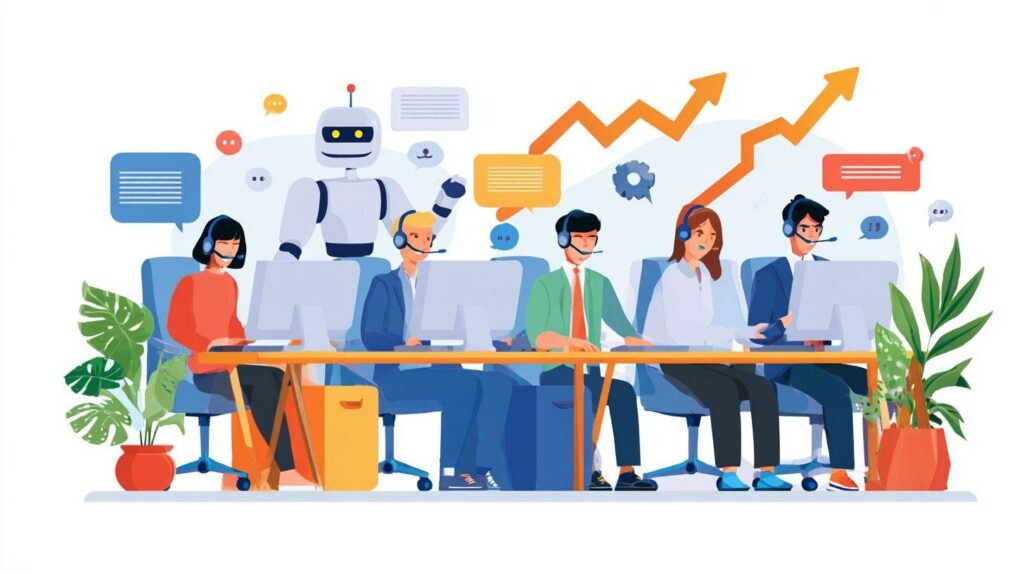
Chatbots, NLP, and automation form the core of AI customer service. These tools boost agent productivity by handling routine queries. They enable scaling support in hybrid setups with human escalation.
| Tool | Price | Auto-Resolve Rate | Best For |
| Zendesk AI | $55/agent/mo | 72% | Omnichannel ticketing |
| Intercom Fin | $79/agent/mo | 68% | Live chat scaling |
| Ada | $500+/mo | 82% | Ecommerce support |
| Gorgias | $60/mo | 75% | Shopify stores |
| Help Scout AI | $20/user/mo | 65% | Small teams |
Intercom offers faster setup at 2 days compared to Zendesk’s 2 weeks. Choose based on your tech stack integration and ticket volume. Evaluate conversational AI for natural interactions.
Integrate these with your knowledge base for better accuracy. Track CSAT scores post-deployment. This supports workforce optimization and reduces agent burnout.
Integration Criteria and Vendor Evaluation
Require 99.5% uptime SLA, under 500ms response latency, and GDPR compliance certification. These ensure reliable 24/7 coverage in your hybrid team structure. They protect data privacy during AI adoption.
Use a scorecard template for vendor evaluation:
- API compatibility (30 points): Check seamless tech stack fit.
- NLP accuracy (25 points): Test with sample tickets.
- Support SLA (20 points): Verify response commitments.
- Pricing TCO (15 points): Factor in scaling costs.
- Case studies (10 points): Review similar hybrid implementations.
Example RFI questions include: How does your tool handle volume spikes? What is the escalation rate in real workflows? Request a vendor matrix comparing features against your needs.
Conduct A/B testing in a pilot to measure resolution time and cost per ticket. Involve agents in demos for buy-in. This drives continuous improvement and SLA compliance.
Designing the Hybrid Workflow
Design decision tree: AI Confidence 85%+ = resolve, <60% = human, 60-85% = suggest + human approve. This hybrid workflow creates a clear path for scaling customer support teams during volume spikes.
AI handles routine inquiries first, allowing human agents to focus on complex issues. Seamless transitions ensure support scalability without dropping response times or customer satisfaction.
Visual workflows map entry points to outcomes, like chatbots triaging tickets before escalation. Integrate AI triage with tools like Intercom AI or Zendesk AI for real-time routing.
Key benefits include cost efficiency and faster resolution, as AI manages initial volume while humans provide oversight. Test workflows in a pilot program to refine transitions.
Routing Logic: AI-First vs Escalation Paths
AI-First: 78% auto-resolve target. Escalation triggers: negative sentiment (-0.3 score), VIP keywords, repeat failures. This logic prioritizes AI customer service for simple queries.
Flow starts with entry NLP classify confidence score route (auto/assist/human). For example, “Order status?” goes to AI, while “Very frustrated” + refund routes to Agent #3.
Triggers include 3+ failures, refund requests, CSAT <3. Use sentiment analysis and predictive analytics to flag high-risk tickets early.
Balance AI-first with human escalation for customer retention. Monitor escalation rates via metrics dashboard to optimize the hybrid support model.
Tiered Support Structure
Tier 0 (AI): 70% tickets. Tier 1 (Junior): 20%. Tier 2 (Senior): 8%. Tier 3 (Managers): 2%. This hybrid team structure optimizes workforce for scaling support.
T0 uses AI agents and chatbots for self-service. T1 handles AI-suggested responses, T2 tackles complex escalations, T3 focuses on QA and processes.
Headcount ratios guide team expansion: 1 T2 per 8 T1, 1 T3 per 4 T2. This pyramid reduces cost per ticket while maintaining SLA compliance.
Upskill agents through training programs on AI integration. Track agent productivity and utilization for continuous improvement in the support maturity model.
Seamless Handoff Protocols
Handoff packet: Full chat transcript + AI confidence scores + 3 suggested responses + customer sentiment. These protocols ensure smooth AI-human collaboration.
Follow a 5-step process: 1) Context summary (<100 words), 2) Attach chat log, 3) Flag urgency/priority, 4) Pre-populate agent response, 5) Post-call survey. This cuts first response time and resolution time.
Example template: “Customer asked about delayed shipment. AI tried 2 resolutions. Sentiment: frustrated. Suggested: Offer 20% credit.” Integrate with support platforms for omnichannel handoffs.
Reduce agent burnout with clear protocols and knowledge base access. Measure handoff success via feedback loops and performance metrics for better operational efficiency.
Implementing AI at Scale
A 6-week pilot on 20% of traffic proves the value of AI customer service before full rollout in scaling customer support teams. This approach tests human-AI hybrid models with real support tickets. It ensures smooth integration without disrupting operations.
Start with a phased rollout to build confidence in AI agents. Week 1-2 focuses on piloting with a small team segment. Weeks 3-4 optimize based on early feedback from human agents.
Weeks 5-6 scale to broader ticket volume while monitoring key metrics like first response time. Critical success hinges on domain training data tailored to your support playbook. This method supports support scalability and workforce optimization.
Teams achieve cost efficiency and faster resolution time through this structured process. Human oversight during scaling prevents issues in hybrid support models. Continuous iteration drives long-term customer satisfaction.
Pilot Testing and Iteration
Week 1 launches a 500-ticket pilot with cohort A handled by AI and cohort B by human agents. This A/B testing setup compares performance in a controlled environment. It sets the foundation for scaling customer support.
Follow an 8-week roadmap for reliable rollout: Week 1 setup, Week 2 tests 10% traffic, Week 3 analyzes and iterates, Week 4 expands to 25%, Week 5 optimizes prompts, Week 6 reaches 50%, Week 7 full rollout, Week 8 reviews outcomes. Success requires CSAT 90% and FRT <2min.
| Test Phase | Traffic % | Focus | Success Criteria |
| Week 2 | 10% | Initial test | CSAT 85%, FRT <3min |
| Week 4 | 25% | Expansion | CSAT 88%, Escalation <20% |
| Week 6 | 50% | Optimization | CSAT 90%, FRT <2min |
Use this table for pilot program planning in your support platform. Feedback loops from agents refine AI triage and human escalation paths. This builds a scalable hybrid team structure.
Training AI on Domain-Specific Data
Convert 6 months of resolved tickets into AI training data to fine-tune models like GPT-4 for your needs. This process boosts accuracy in handling support tickets. Focus on real examples from email support and live chat scaling.
Build a clear data pipeline with these steps:
- Anonymize tickets to ensure data privacy and GDPR compliance.
- Label intent and resolution for each case.
- Apply an 80/20 train/test split for reliable evaluation.
- Integrate RAG with your knowledge base and FAQ.
- Retrain weekly to adapt to new patterns.
For instance, train on ‘shipping delay’ queries to generate response variants. This enhances conversational AI for omnichannel support. Agents gain productivity as AI handles routine tasks.
Regular updates keep AI agents aligned with business changes. Combine with upskilling programs for human agents. This drives agent productivity and operational efficiency in hybrid workflows.
Monitoring for Bias and Accuracy

Conduct daily accuracy audits on a 5% random sample with human review to target high correctness in AI responses. This practice maintains trust in human-AI collaboration. It supports scaling without compromising quality.
Track key performance metrics via a dashboard: accuracy, bias score, and hallucination rate. Use tools like Weights & Biases alongside a custom QA bot. Set alert triggers for drops in metrics.
Implement a weekly calibration process involving sentiment analysis and NLP models. Review escalation rates and CSAT scores across phone support and self-service portals. This ensures ethical AI and bias mitigation.
Real-time analytics enable quick adjustments during volume spikes or seasonal scaling. Human oversight flags issues early, preserving SLA compliance. Long-term monitoring fosters continuous improvement and competitive advantage in customer service scaling.
Upskilling and Restructuring Your Team
Agents shift from 80% typing to 20% oversight plus 60% strategic work, increasing job satisfaction through meaningful tasks. In human-AI hybrid models, reps evolve into AI orchestrators who guide AI agents and focus on complex issues. This transition boosts agent productivity and supports scaling customer support without proportional team expansion.
An 8-week upskill program helps overcome resistance by building confidence in AI collaboration. Teams learn to leverage AI triage and human escalation, reducing agent burnout. Practical modules cover prompt engineering and workflow design for smooth AI integration.
Restructuring creates a hybrid team structure with clear career paths, enhancing workforce optimization. Leaders conduct change management through pilot programs and feedback loops. This approach ensures support scalability while maintaining high customer satisfaction.
Experts recommend pairing upskilling with performance metrics like resolution time and escalation rate. Regular A/B testing refines the hybrid workflow. Such strategies drive operational efficiency and position teams for volume spikes.
Role Evolution: From Reps to Overseers
New titles reflect this shift: AI Support Specialist ($68K), Escalation Expert ($82K), Workflow Architect ($105K). These roles emphasize human oversight in AI customer service, freeing agents for high-value work. A career path matrix guides progression based on skills and impact.
Level 1 AI monitors handle 1.5x more tickets per hour by supervising chatbot integration and basic queries. Level 2 escalation specialists manage complex cases using sentiment analysis. Level 3 trainers develop AI training data and onboard new team members.
Headcount drops from 12 to 5 agents while maintaining volume, thanks to support automation. Salary increases align with added responsibilities in this pyramid structure. For example, specialists review AI outputs in live chat scaling or email support.
This evolution supports cost efficiency and response time improvements. Teams use metrics dashboards to track agent utilization. It fosters AI-human collaboration for better SLA compliance and customer retention.
Training Programs for AI Collaboration
A 4-week bootcamp builds skills: Week 1 covers AI basics, Week 2 focuses on prompt engineering, Week 3 masters workflows, and Week 4 integrates omnichannel tools. Hands-on sessions total 16 hours with real support tickets. Gamification like leaderboards keeps engagement high, similar to models from platforms like Intercom.
Certification paths validate expertise in generative AI and conversational AI. Trainees practice AI triage on simulated phone support or multilingual AI queries. This prepares agents for 24/7 coverage and seasonal scaling.
Programs include modules on knowledge base updates and self-service portals. Role-playing scenarios teach human escalation from AI agents. Feedback loops ensure continuous improvement in hybrid support models.
Leaders measure success via first response time and CSAT scores. Pair training with quality assurance playbooks for ethical AI use. These efforts enhance team expansion strategies and long-term support ROI.
Measuring Success and KPIs
Track 12 KPIs across 4 categories with weekly dashboards to monitor your human-AI hybrid models. These metrics cover customer satisfaction, operational efficiency, agent productivity, and financial impact. Real-time dashboards help spot issues early and prevent backsliding in support scalability.
Focus on CSAT scores, resolution times, and cost per ticket as primary indicators. Combine these with capacity metrics to ensure your customer support team handles growing ticket volumes without added headcount. Quarterly business reviews tie these KPIs to revenue impact, like faster resolutions boosting customer retention.
Set up metrics dashboards in tools like Zendesk or Intercom for omnichannel visibility. Use trend charts to compare pre-AI and post-AI performance across email support, live chat, and phone support. This approach supports continuous improvement and aligns hybrid workflows with business goals.
Incorporate feedback loops from agents and customers to refine AI triage and human escalation processes. Regular reviews help optimize AI integration, ensuring your team achieves cost efficiency while maintaining high service levels during volume spikes.
Core Metrics: Resolution Time, CSAT, Costs
Targets include first response time under 90 seconds, resolution time below 8 minutes, CSAT above 92 percent, and cost per ticket under $4.50. These benchmarks guide scaling support in human-AI hybrid models. Track them to balance speed, quality, and affordability.
Use a centralized dashboard to visualize trends in response time and customer satisfaction. For example, AI agents handle initial triage, cutting wait times, while human agents focus on complex cases. This setup improves agent productivity and reduces burnout.
| Metric | Target | Pre-AI | Post-AI | Improvement |
| First Response Time (FRT) | <90s | 4 hours | 90s | 95% faster |
| Resolution Time | <8min | 45min | 8min | 82% faster |
| CSAT | >92% | 88% | 93% | 5.7% uplift |
| Cost per Ticket | <$4.50 | $12 | $4.20 | 65% reduction |
Review these metrics weekly to ensure hybrid support models deliver on promises. Adjust AI training data or human oversight based on trends, supporting SLA compliance and 24/7 coverage.
AI-Specific Benchmarks
Automation rate at 72 to 82 percent, escalation rate under 18 percent, and AI accuracy above 92 percent set the foundation for strong performance. Monitor these to optimize AI customer service within hybrid teams. They reveal how well conversational AI handles routine queries.
Track eight key AI metrics for deeper insights into support automation. Use breakdowns to refine chatbot integration and knowledge base updates. This ensures reliable AI triage before human escalation.
- Auto-resolve percentage: Measures tickets fully handled by AI agents without human input.
- Escalation reasons breakdown: Identifies common triggers like technical issues or sentiment flags.
- Fallback rate by channel: Compares live chat, email, and phone support performance.
- Confidence score distribution: Ensures AI only responds when scores exceed thresholds.
- Hallucination incidents: Tracks inaccurate responses for prompt retraining.
- Retraining frequency: Monitors updates to NLP models and machine learning datasets.
- Agent save rate: Counts instances where humans correct or enhance AI outputs.
- ROI calculator: Links metrics to cost savings and capacity gains.
Compare against industry standards through regular audits. Implement A/B testing and real-time analytics for workforce optimization. This drives continuous improvement in your hybrid team structure, enhancing scalability and customer satisfaction.
Overcoming Adoption Hurdles
Transparency and upskilling help address common fears among agents when scaling a customer support team with human-AI hybrid models. An 8-week change program builds trust through structured steps, agent ambassadors, and visible wins to drive momentum. This approach fosters smooth AI integration and boosts team buy-in.
Start with clear communication about how AI augments human agents, not replaces them. Highlight benefits like reduced agent burnout and faster response times. Pair this with hands-on training to show real value in hybrid workflows.
Agent ambassadors from within the team demonstrate early successes, such as handling higher ticket volume with AI triage. Weekly check-ins and milestone celebrations keep energy high. This method supports support scalability while maintaining customer satisfaction.
Track progress with simple metrics like adoption rates and CSAT scores. Adjust based on feedback loops for continuous improvement. Such strategies ensure long-term success in AI customer service adoption.
Change Management Strategies
Week 0 town hall with Q&A kicks off the change management process, followed by agent ambassadors in week 2 and early wins showcase in week 4. An 8-week roadmap guides the transition to human-AI hybrid models. This structured plan minimizes disruption while scaling support.
Follow these key steps in the roadmap: first, communicate the ‘why’ and vision clearly. Second, select champions from about 10% of the team to lead by example. Third, hold weekly office hours for questions and support.
Fourth, gamify adoption with leaderboards for AI tool usage. Fifth, celebrate milestones like reduced resolution times. Apply the ADKAR model to ensure awareness, desire, knowledge, ability, and reinforcement across the team.
For example, use role-playing sessions during office hours to practice AI-human collaboration. Champions can share tips on AI triage for complex tickets. This builds confidence and drives agent productivity in the hybrid setup.
Addressing Agent Resistance
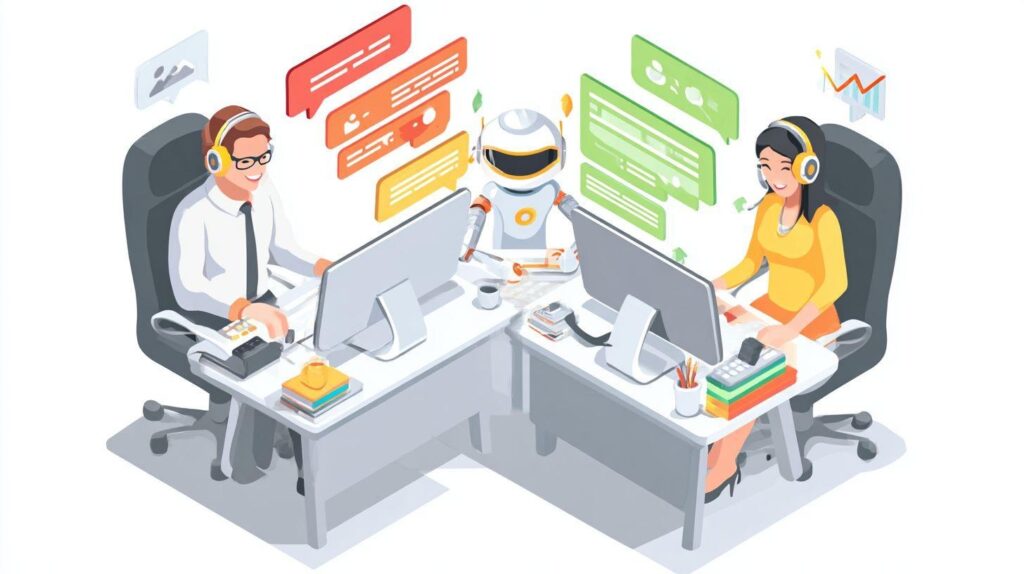
Address top fears like job loss, quality drop, and speed pressure head-on to ease agent resistance in human-AI hybrid models. Create an FAQ document with objection handling scripts. Share success stories through testimonial videos to build trust.
For fear of job loss, emphasize creation of new roles focused on oversight and escalation. Assure agents they maintain control over standards. Highlight how AI handles routine tasks, freeing time for high-value interactions.
On quality concerns like ‘AI lacks empathy,’ demo seamless human escalations from chatbots. Show data on sustained or improved CSAT scores post-integration. Use real examples, such as “AI triaged the query, human resolved with personal touch.”
For speed pressure, note agents handle fewer routine tickets, focusing on complex ones. Provide training on hybrid workflows to boost efficiency. Regular feedback loops and upskilling programs turn skeptics into advocates, ensuring smooth team expansion.
Future-Proofing Your Hybrid Model
Annual tech audit + 20% R&D budget ensures 3-year technology leadership. Quarterly horizon scanning keeps your human-AI hybrid models ahead of obsolescence. Focus on 2025 trends like voice AI, multilingual support, and predictive customer service to maintain support scalability.
Start with a structured annual tech audit to evaluate your current AI integration against emerging tools. Allocate resources to pilot new features, such as conversational AI for voice queries. This approach builds long-term cost efficiency and response time improvements.
Experts recommend dedicating R&D budget to training programs for AI agents and human oversight. Monitor performance metrics like escalation rate and CSAT score to guide investments. Regular feedback loops enable continuous improvement in your hybrid support model.
Prepare for volume spikes with dynamic scaling strategies, including omnichannel support enhancements. This future-proofs your customer support team against tech shifts and ensures competitive advantage in AI customer service.
Scaling for Growth and Emerging Tech
Q4 2025 Roadmap: Voice AI (23% queries), Arabic/Spanish models, predictive churn prevention. Build a 3-year roadmap to scale your customer support team effectively. Year 1 focuses on optimizing current hybrid workflows, Year 2 introduces voice and multilingual capabilities, and Year 3 adds predictive analytics.
Use a capacity planning model that ties ticket volume to headcount needs. For example, analyze monthly support tickets to forecast agent utilization and automation rate. This supports workforce optimization and prevents agent burnout during seasonal scaling.
| Emerging Tech | Readiness | Impact | Priority |
| Voice AI | High | Transforms phone support | Immediate |
| Multilingual Models | Medium | Enables global support | High |
| Predictive CS | Low | Boosts customer retention | Medium |
Review this emerging tech matrix quarterly to prioritize integrations like Zendesk AI or Intercom AI. Conduct A/B testing in pilot programs to measure ROI scaling and SLA compliance. This framework drives operational efficiency and innovation in support.
Frequently Asked Questions
How to Scale a Customer Support Team with Human-AI Hybrid Models?
Scaling a customer support team with human-AI hybrid models involves integrating AI tools like chatbots and automated ticketing systems with human agents to handle increased volume efficiently. Start by analyzing ticket data to identify common queries for AI automation, then train AI on those patterns while routing complex issues to humans. Gradually increase AI handling to 70-80% of interactions, monitor performance with metrics like resolution time and CSAT, and retrain humans for oversight roles. This hybrid approach reduces costs by 30-50% and improves scalability without sacrificing quality.
What are the key benefits of using human-AI hybrid models to scale customer support?
Human-AI hybrid models offer cost savings, 24/7 availability, faster response times, and consistent handling of routine queries via AI, while humans excel at empathy-driven, nuanced interactions. This combination boosts scalability, allowing teams to manage 5-10x more tickets without proportional hiring, enhances customer satisfaction through personalized escalations, and provides data insights for continuous improvement in how to scale a customer support team with human-AI hybrid models.
How do you implement AI in a human-AI hybrid customer support team?
To implement AI, select tools like conversational AI platforms (e.g., Zendesk AI or Intercom) that connect with existing CRM systems. Map customer journeys to assign AI for initial triage and simple resolutions, setting clear escalation rules based on sentiment or keywords. Pilot with a subset of queries, measure KPIs, and iterate. Ensure seamless handoffs with context transfer to humans, optimizing how to scale a customer support team with human-AI hybrid models for minimal friction.
What challenges arise when scaling customer support with human-AI hybrid models, and how to overcome them?
Challenges include AI inaccuracies, customer frustration with bots, integration complexities, and agent resistance. Overcome them by using high-quality training data to minimize errors (aim for 95% accuracy), offering easy human escalation options, providing robust APIs for integration, and upskilling agents via training programs. Regular audits and feedback loops ensure reliable scaling in how to scale a customer support team with human-AI hybrid models.
How can you measure success when scaling a customer support team with human-AI hybrid models?
Track metrics like First Response Time (target under 1 minute with AI), Resolution Rate (AI >90% for simple tickets), Customer Satisfaction (CSAT >4.5/5), Cost per Ticket (reduce by 40%), Agent Utilization (focus on high-value tasks), and Escalation Rate (<20%). Use dashboards for real-time insights and A/B testing to refine the model, validating effective strategies in how to scale a customer support team with human-AI hybrid models.
What tools and technologies are best for building a human-AI hybrid customer support team?
Recommended tools include AI chatbots like Dialogflow or Drift for frontline handling, ticketing systems like Freshdesk with AI routing, sentiment analysis via Google Cloud NLP, and analytics platforms like Gong for insights. Integrate with collaboration tools like Slack for human handoffs. Choose scalable, API-rich solutions that support custom training, enabling seamless growth when learning how to scale a customer support team with human-AI hybrid models.